ClockworkPDF Initial Release

ClockworkPDF is a free desktop utility for handling common PDF tasks such as merging documents, splitting pages, rotating pages, mixing files, and extracting content.

Designed to keep everyday PDF workflows simple, ClockworkPDF provides the essential tools needed to organize and modify PDF documents without the complexity of larger PDF suites.

clockworkpdf-screenshot

This initial release focuses on the core features, with additional improvements and functionality planned for future updates.

https://software.mechanikadesign.com/software/clockworkpdf

ColorSnatch Release 1.3.0


What’s new in 1.3.0

Added:

  • WCAG color contrast checker
  • Save/load colors to and from Paint.NET, GIMP, Adobe, Microsoft RIFF, Procreate, Affinity palette formats

Changed:

  • Load and keep color dictionary in memory on app startup
  • Significantly improved performance of Auto Rename all Colors
  • Application windows excluded from color capture

Fixed:

  • andom crashes when changing zoom level
  • Rename button clearing text field
  • Screen freeze behavior
Download the latest version Visit the ColorSnatch download page

DiskAtlas Initial Release

Today marks the initial release of DiskAtlas, a powerful disk space analyzer designed to help you quickly discover what is taking up space on your drives.

DiskAtlas combines a fast scanning engine with an intuitive visual treemap interface, making it easy to explore large folders, identify space-hogging files, and understand your storage usage at a glance.

Built with performance and portability in mind, DiskAtlas is designed to provide fast results while keeping the experience simple and lightweight. Whether you’re cleaning up an overloaded drive, finding forgotten files, or managing storage on large disks, DiskAtlas gives you the tools to explore your data more efficiently.

diskatlas-screenshot

This is the first release, and development will continue with new features, improvements, and refinements based on user feedback.

https://software.mechanikadesign.com/software/diskatlas

Lightmap Studio, a free web app for lighting design

This started as something I built to plan lighting for home projects, but it turned out to be useful enough that I kept going with it. The goal was pretty simple: make something fast, practical, and easy to use without needing heavy CAD software.

What it does

Lightmap Studio lets you draw a room and see how light is actually distributed inside it. You can draw rooms with walls and structural elements, place and configure light fixtures, import IES photometric files and analyze how light is distributed across a space .

Lighting analysis

  • Illuminance calculations in lux
  • Heatmaps for visualizing light distribution
  • Identification of under-lit areas
  • Fixture spacing analysis
  • Summary statistics such as average levels and uniformity

I mainly built this so I could answer basic questions like “is this area too dim?” or “are these lights spaced correctly?” without guessing.

Features

  • Interactive room drawing with grid snapping
  • Measurement tools for accurate layouts
  • Custom light properties including lumen output and beam angle
  • Multiple view modes for design and analysis
  • Undo and redo support
  • Autosaves in the browser with export option

This project is completely open-source: https://github.com/warrengalyen/Lightmap

Tab Pocket Now Available

I’m excited to announce that Tab Pocket, a new browser extension for organizing and managing your open tabs, is now available on both Chrome Web Store and Firefox Add-ons!

We’ve all been there—you’re deep in a research session, a coding marathon, or just exploring the web, and suddenly you have 47 tabs open. Tab Pocket is the solution: a lightweight, intuitive browser extension that lets you instantly save all your tabs into organized groups. No more tab chaos, no more losing track of important links, no more browser slowdowns.

With Tab Pocket, you can keep your browser tidy while maintaining a searchable archive of everything you’ve discovered. Save tabs, organize them however you like, and retrieve them exactly when you need them—using our powerful search feature that finds what you’re looking for even if you don’t remember the exact title.

Key Features

Save Tabs in Groups

Organize your saved tabs into named groups. Each group includes a timestamp and tab count, so you always know when you saved them and what’s inside.

Smart Search

Find your saved tabs instantly with our powerful search feature:

  • Fuzzy search – Find tabs even with typos or partial matches
  • Configurable fuzziness – Set how flexible the search should be (0 = exact match, 1 = very flexible)
  • Title weight control – Decide how much weight to give tab titles vs. URLs in search results
  • Real-time filtering as you type

Customizable Display

Personalize how your tabs appear:

  • Display tabs as clickable links for quick navigation
  • Show URLs directly under tab titles

Smart Tab Management

  • Preserve pinned tabs – Pinned tabs won’t be closed or saved automatically
  • Restore tabs – Open saved tabs in your current window or a new window
  • Close tabs after saving – Automatically close tabs after storing them (optional)
  • Drag and drop – Reorder tabs within groups easily
  • Export/Import – Backup your saved tabs as JSON or restore them anytime

Backup & Sync

  • Export your entire tab collection as JSON for backup
  • Import previously exported data to restore tabs
  • Sync your preferences across devices via browser sync

Get it now:

ColorSnatch Release 1.2.0


What’s new in 1.2.0

Added:

  • Screen freeze — freeze screen updates to sample the color of elements that change on mouse‑hover
  • Point lock — monitor a color at a fixed screen location independently of cursor movement
  • Auto‑name colors — automatically generate names for new colors or rename existing ones using a color dictionary
  • Averaged color sampling — improved handling of color noise by sampling around cursor position
  • Remove duplicates from color list — keep your list clean and unique
  • Ctrl + Arrows hotkeys — fine‑tune cursor movement for precise color sampling
  • Linux (X11) support — ColorSnatch now works on Linux alongside Windows

Changed:

  • The UI is now resizable for better flexibility

Fixed:

  • UI flickering on startup
  • Missing CSS file filter when opening a color list
Download the latest version Visit the ColorSnatch download page

LogSight Release 1.0.0

LogSight Release 1.0.0

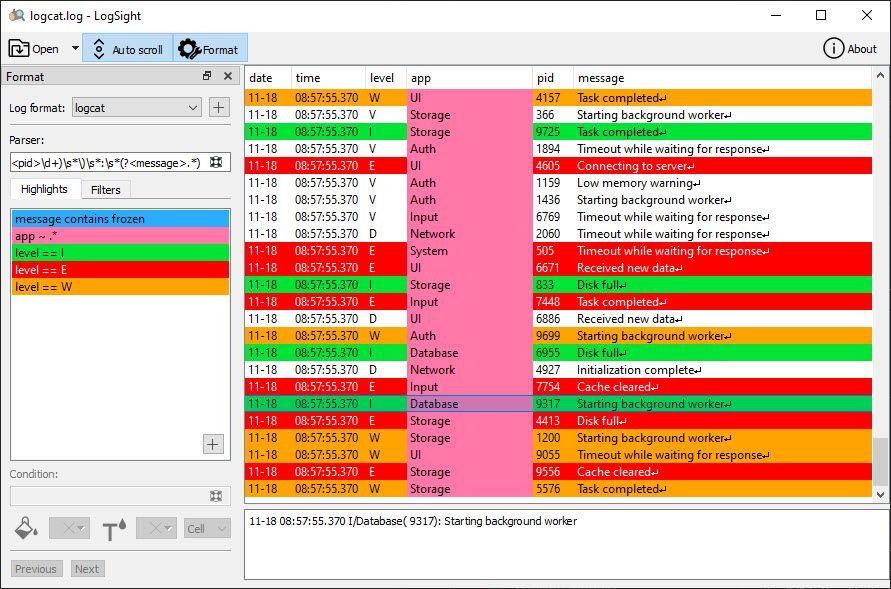
This is to announce the official launch of LogSight version 1.0.0! This first stable release, brings powerful log analysis and monitoring capabilities to your development workflow.

Motivation

Like many developers, we often face the challenge of analyzing application log files—especially archives sent by users when troubleshooting elusive bugs. Searching for unusual behavior or pinpointing root causes can feel like looking for a needle in a haystack. Existing solutions rarely offered an interface tailored for quickly highlighting patterns or anomalies, particularly for diverse log formats. LogSight was born from the need for an application that lets you easily highlight multiple patterns with colors, making deep dives into complex logs far more manageable.

Key Features

  • Highlight multiple log patterns using customizable colors, making investigation intuitive.
  • Real-time monitoring and alerting to catch anomalies early.
  • Flexible parser definitions to adapt to various log formats.
  • Quick search tools to easily find relevant log entries.
  • Can work on local files and stdin.

To start using LogSight, download here.

Recall Wifi Release 1.0.0

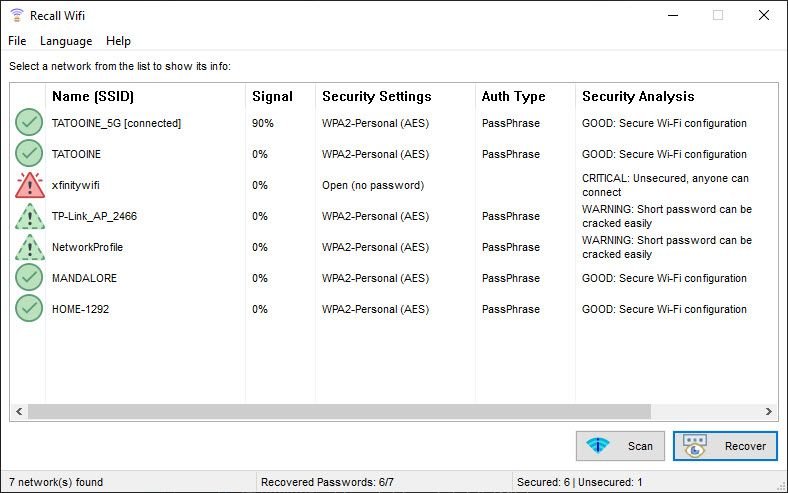
I’m please to announce the launch of Recall Wifi, a compact and portable Windows tool that lets you instantly recover your saved Wi‑Fi passwords, manage network connections, and secure your wireless credentials.

What Recall Wifi Can Do

  • Recover WEP, WPA, WPA2, and WPA3 passwords stored on your system.
  • Analyze your saved networks for weak or vulnerable passwords.
  • Import or export saved networks securely (AES 256‑bit encryption optional).
  • Delete unnecessary or outdated network profiles.
  • Connect to or disconnect from saved networks with ease.
  • Access networks saved on disabled or inactive network adapters.
  • Run anywhere—no installation required; just download and launch.
Ready to get started? Visit the Downloads page to grab the latest version.

ColorSnatch 1.1.0

Color Snatch 1.1.0

I’m happy unveil the latest update for my lightweight desktop color picker and editor.

Here’s what’s new in this release:

Added

  • Harmonious Color Scheme Generator
  • Modify hotkeys for color capture and copy
  • Load colors from stylesheets (.css files)
  • Optionally capture color on mouse click

Changed

  • Scroll to newly added color in list

Fixed

  • Improved color and cursor preview performance
  • Current zoom level not being updated and saved
  • Memory error when app is closed

Download ColorSnatch from here.

ColorSnatch 1.0.0 Released

ColorSnatch 1.0.0 Released

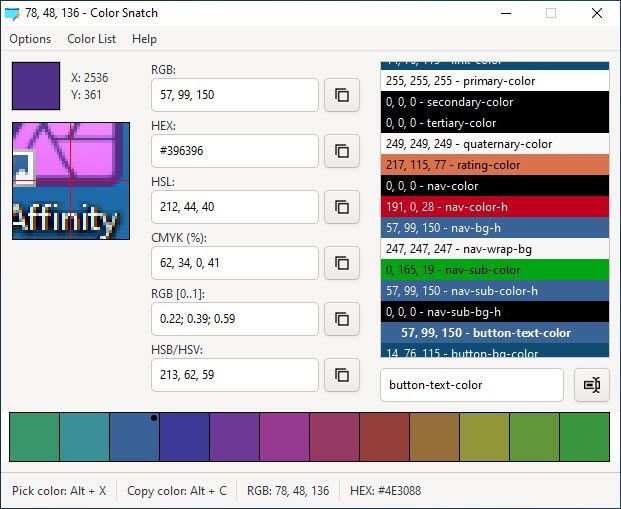
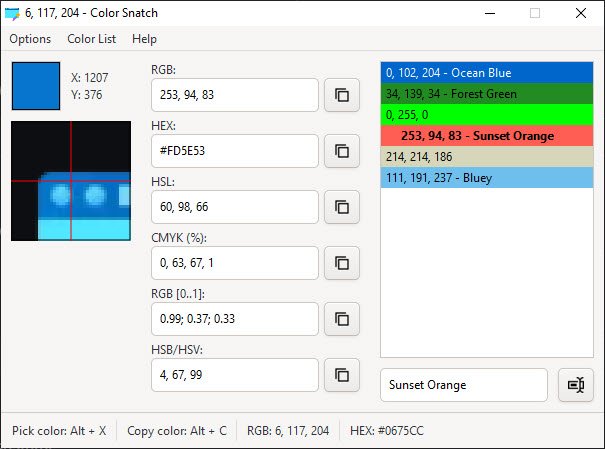
Announcing the first official release of ColorSnatch, a lightweight cross-platform desktop color picker and color editor utility designed for developers, designers, and digital creatives!

Feature Highlights

  • Wide range of color code formats: RGB, HEX, HSL, CMYK, RGB Decimal, and HSV/HSB
  • 3x, 6x, and 9x magnification cursor preview
  • Color list for saving, cataloguing, and re-using picked colors
  • Convert color codes between formats (developer/designer friendly)
  • Optional stay-on-top behavior
  • Copy any color code to the clipboard
  • Save or load color lists to and from an external file
  • Assign name or notes to any saved color

Download ColorSnatch from here.

I look forward to your feedback and suggestions as I continue to improve ColorSnatch!

Happy coloring!